What You Learn in Google IT Support Professional Certificate (Complete Guide)

Starting a career in information technology can feel challenging, especially if you are new to computers, networking, and technical troubleshooting. Many beginners struggle to understand which skills they need to learn first and how to prepare for an entry-level IT job.
The Google IT Support Professional Certificate was designed to provide beginners with a structured introduction to the IT field. It teaches the fundamental knowledge required for roles such as help desk technician, IT support specialist, and technical support associate.
This complete guide explains what you learn in the Google IT Support Professional Certificate, the skills you develop, and how each part can help you build an IT career.
What Is the Google IT Support Professional Certificate?
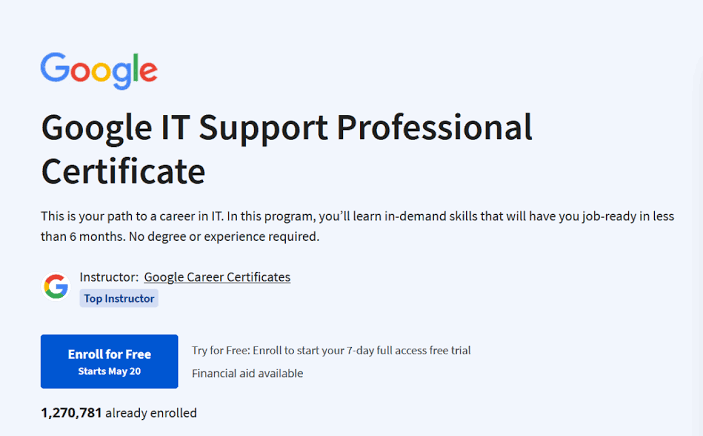
The Google IT Support Professional Certificate is an online training program created for beginners who want to enter the IT industry. It does not require previous technical experience or a computer science background.
The program focuses on practical IT skills, including:
- Computer troubleshooting
- Networking
- Operating systems
- System administration
- Cybersecurity basics
- IT automation
- Customer support
The course is designed to prepare learners for entry-level IT roles where they help users solve technical problems and maintain computer systems.
Overview of the Course Modules
The Google IT Support Professional Certificate includes several major learning areas:
- Technical Support Fundamentals
- The Bits and Bytes of Computer Networking
- Operating Systems and You: Becoming a Power User
- System Administration and IT Infrastructure Services
- IT Security: Defense Against the Digital Dark Arts
- Additional IT Automation and Support Skills
Each module builds on the previous one, helping beginners gradually develop technical confidence.
1. Technical Support Fundamentals
This is the starting point of the program. It introduces the basics of IT and explains how computers function.
What You Learn:
Computer Hardware Basics
You learn about the physical components inside computers, including:
- CPUs
- RAM
- Hard drives and SSDs
- Motherboards
- Power supplies
- Input and output devices
Understanding hardware helps IT professionals diagnose and fix computer problems.
For example, you learn how to identify whether a slow computer problem is caused by:
- Low memory
- Storage issues
- Hardware failure
- Software problems
Software and Applications
The course explains how software works and how applications interact with computer systems.
Topics include:
- Installing programs
- Removing unwanted software
- Understanding software compatibility
- Troubleshooting application problems
Computer Troubleshooting
Troubleshooting is one of the most important skills for IT professionals.
You learn a structured approach:
- Identify the problem.
- Understand possible causes.
- Test solutions.
- Apply the fix.
- Confirm the issue is resolved.
This problem-solving method is used daily by IT support professionals.
Customer Support Skills
IT support is not only about fixing computers—it is also about helping people.
You learn:
- How to communicate with users
- How to ask troubleshooting questions
- How to explain technical issues clearly
- How to provide professional support
Communication skills are extremely valuable in IT careers.
2. The Bits and Bytes of Computer Networking
Networking is one of the most important areas of IT. This module explains how computers communicate with each other.
What You Learn:
Networking Fundamentals
You learn:
- What networks are
- How devices communicate
- Local Area Networks (LAN)
- Wide Area Networks (WAN)
- Internet basics
You understand how computers, routers, and servers work together.
IP Addresses
The course introduces IP addressing and explains how devices are identified on networks.
Topics include:
- IPv4 addresses
- IPv6 basics
- Private and public IP addresses
- Network addressing concepts
Understanding IP addresses helps IT professionals troubleshoot connectivity issues.
Network Protocols
You learn about important networking protocols such as:
- TCP/IP
- DNS
- DHCP
- HTTP
- HTTPS
These protocols allow devices and websites to communicate properly.
Routers and Network Devices
The course explains the role of:
- Routers
- Switches
- Modems
- Firewalls
You learn how these devices manage communication between computers and networks.
Network Troubleshooting
You learn how to diagnose common network problems, including:
- Internet connection failures
- DNS issues
- IP conflicts
- Slow network performance
These skills are essential for IT support jobs.
3. Operating Systems and You: Becoming a Power User
Operating systems control how users interact with computers. This module teaches how to manage and troubleshoot major operating systems.
What You Learn:
Windows Administration
You learn how to:
- Manage user accounts
- Install software
- Configure settings
- Troubleshoot common Windows issues
Windows knowledge is highly valuable because many businesses use Windows-based systems.
Linux Basics
Linux is widely used in servers, cloud computing, and cybersecurity.
You learn:
- Linux commands
- File management
- Permissions
- Directory structures
- Basic system operations
Understanding Linux gives beginners an advantage when moving into advanced IT fields.
Command Line Skills
The course introduces command-line tools.
You learn how to:
- Navigate files
- Run commands
- Manage systems
- Perform basic troubleshooting
Command-line knowledge is an important skill for IT professionals.
System Configuration
You learn how to:
- Adjust operating system settings
- Manage applications
- Improve system performance
- Solve software-related problems
4. System Administration and IT Infrastructure Services
This module introduces more advanced IT responsibilities related to managing computer systems.
What You Learn:
User and Permission Management
You learn how organizations manage access to systems.
Topics include:
- Creating user accounts
- Assigning permissions
- Managing access levels
- Protecting sensitive information
Server Basics
You learn the role of servers and how they support businesses.
Topics include:
- Web servers
- File servers
- Database servers
- Directory services
IT Infrastructure
You explore how businesses build and maintain technology environments.
This includes:
- Networks
- Servers
- Cloud services
- Storage systems
System Maintenance
You learn how IT professionals keep systems running through:
- Monitoring
- Updates
- Backups
- Security checks
5. IT Security: Defense Against the Digital Dark Arts
Cybersecurity is becoming one of the most important areas of technology. This module introduces the basics of protecting systems and information.
What You Learn:
Common Cyber Threats
You learn about:
- Malware
- Viruses
- Phishing attacks
- Ransomware
- Social engineering
Understanding threats helps IT professionals prevent security incidents.
Security Practices
The course covers:
- Strong passwords
- Authentication methods
- Access control
- Data protection
You learn how organizations protect sensitive information.
Encryption Basics
You are introduced to encryption and how it protects data.
Topics include:
- Secure communication
- Data confidentiality
- Encryption methods
Security Response
You learn basic steps for handling security problems, such as:
- Identifying threats
- Limiting damage
- Reporting incidents
- Improving security practices
6. IT Automation and Support Skills
Modern IT professionals use automation to save time and improve efficiency.
What You Learn:
Introduction to Programming
The course introduces basic programming concepts, especially using Python.
You learn:
- Variables
- Functions
- Loops
- Automation scripts
Automating Tasks
Automation can help IT professionals perform repetitive tasks faster.
Examples include:
- Managing files
- Checking systems
- Processing information
- Creating simple tools
Problem-Solving With Technology
You learn how automation can improve IT workflows and reduce manual work.
These skills are useful as you progress into areas like:
- System administration
- Cloud computing
- DevOps
- Cybersecurity
Practical Skills You Gain From the Certificate
After completing the program, you should have knowledge of:
✅ Computer hardware troubleshooting
✅ Windows and Linux basics
✅ Networking fundamentals
✅ User and system administration
✅ Cybersecurity principles
✅ IT troubleshooting methods
✅ Command-line tools
✅ Basic Python automation
✅ Technical communication skills
These skills create a foundation for an entry-level IT career.
Jobs You Can Prepare For After Completing the Certificate

The certificate can help prepare you for roles such as:
IT Support Specialist
You help users solve technical problems and maintain systems.
Help Desk Technician
You provide first-level technical support through phone, chat, or ticket systems.
Desktop Support Technician
You troubleshoot computers, install software, and support employees.
Technical Support Associate
You assist customers with technical issues related to products or services.
What You Should Learn After the Certificate
The Google IT Support Certificate is a foundation, not the end of your learning journey.
To improve your career opportunities, consider learning:
Networking
- Advanced networking concepts
- Network security
- Routing and switching
Cloud Computing
- Cloud platforms
- Virtual machines
- Cloud security
Cybersecurity
- Ethical hacking basics
- Security monitoring
- Incident response
Certifications
Many beginners continue with certifications such as:
- CompTIA A+
- CompTIA Network+
- CompTIA Security+
- Cloud certifications
Final Thoughts
The Google IT Support Professional Certificate provides beginners with a strong foundation in information technology. It teaches essential concepts including hardware, networking, operating systems, system administration, cybersecurity, and automation.
While completing the certificate alone may not guarantee an IT job, it gives beginners the knowledge and confidence needed to start building practical skills. The most successful learners combine the course with hands-on practice, personal projects, and continued education.
For anyone starting from zero and looking for a clear entry point into the technology industry, the Google IT Support Professional Certificate can be a valuable first step toward a successful IT career.