Google AI Essentials Study Guide: A Complete Beginner’s Roadmap

Artificial Intelligence (AI) is transforming the way people learn, work, and solve everyday problems. From writing emails and creating presentations to analyzing data and generating creative ideas, AI tools have become valuable assistants in both personal and professional life. As AI adoption continues to grow across industries, learning how to use these tools effectively has become an important skill for students, professionals, freelancers, and business owners alike.
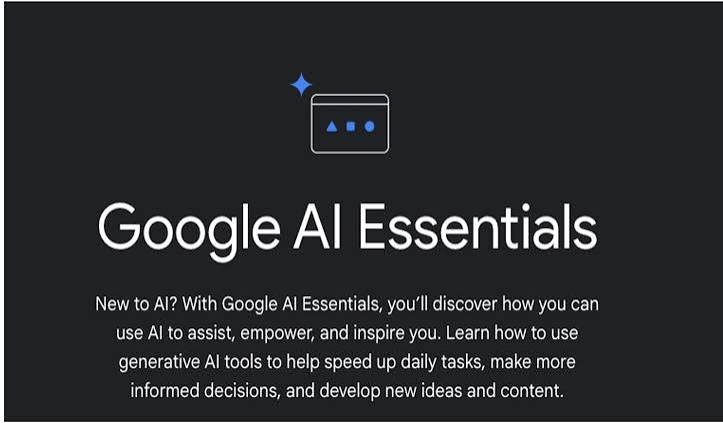
One of the easiest ways to begin your AI journey is through Google AI Essentials. This beginner-friendly course is designed to teach practical AI skills without requiring any programming experience. Instead of focusing on complex technical concepts, it introduces learners to real-world AI applications, prompt writing, productivity techniques, and responsible AI usage.
This Google AI Essentials Study Guide is designed to help you understand the course structure, prepare for each learning module, reinforce key concepts, and build confidence as you learn. Whether you’re planning to enroll or are already taking the course, this guide will help you get the most out of your learning experience.
What Is Google AI Essentials?
Google AI Essentials is an introductory online course created by Google to help beginners understand Artificial Intelligence and learn how to use AI tools effectively.
Unlike advanced AI programs that teach coding, machine learning, or data science, Google AI Essentials focuses on practical AI skills that anyone can use in everyday work and life.
The course covers topics such as:
- Understanding Artificial Intelligence
- Using generative AI tools
- Writing effective prompts
- Improving productivity with AI
- Responsible AI practices
- Applying AI in real-world situations
It is designed for learners with little or no technical background.
Why Use a Study Guide?
A study guide helps you stay organized, remember important concepts, and prepare for practical applications.
By following a structured study plan, you can:
- Understand each topic more clearly
- Review important concepts quickly
- Practice AI skills consistently
- Improve long-term retention
- Build confidence before completing the course
Instead of simply watching lessons, you’ll actively engage with the material and apply what you learn.
Who Should Use This Study Guide?
This guide is ideal for:
- Students
- Beginners learning AI
- Office professionals
- Teachers
- Freelancers
- Digital marketers
- Content creators
- Entrepreneurs
- Small business owners
- Anyone taking Google AI Essentials
No programming knowledge is required.
Study Module 1: Understanding Artificial Intelligence
The first step is learning what AI actually is.
Focus on understanding:
- What Artificial Intelligence means
- How AI works
- Types of AI
- Examples of AI in daily life
- Benefits and limitations of AI
Study Tips
- Learn AI terminology.
- Watch real-world AI examples.
- Explore how AI is already used in search engines, smartphones, and productivity tools.
- Make notes in your own words.
Understanding these basics will make later lessons much easier.
Study Module 2: Learning About Generative AI
Generative AI creates original content based on user prompts.
Examples include generating:
- Articles
- Emails
- Images
- Reports
- Ideas
- Code
- Summaries
Instead of memorizing definitions, spend time experimenting with AI tools and observing how different prompts affect the output.
Study Tips
- Try generating different types of content.
- Compare AI responses using short and detailed prompts.
- Observe how AI follows instructions.
Practical experience is the best way to understand generative AI.
Study Module 3: Master Prompt Writing
Prompt writing is one of the most valuable skills you’ll learn.
A prompt is simply the instruction you give an AI system.
For example:
Instead of asking:
“Write about marketing.”
A better prompt would be:
“Write a beginner-friendly 1,000-word article explaining digital marketing strategies for small businesses using simple language.”
The more specific your instructions, the better the results.
Study Tips
Practice writing prompts for:
- Emails
- Reports
- Blog posts
- Business ideas
- Study notes
- Social media content
- Research summaries
You’ll quickly notice how better prompts lead to higher-quality AI responses.
Study Module 4: Improving Productivity with AI
Google AI Essentials emphasizes using AI to save time and improve efficiency.
Learn how AI can help with:
- Writing professional emails
- Creating presentations
- Organizing meetings
- Summarizing documents
- Brainstorming ideas
- Managing projects
- Research assistance
Study Tips
Choose one everyday task and use AI to complete it more efficiently.
For example:
- Draft tomorrow’s email.
- Summarize a news article.
- Create a weekly to-do list.
- Generate meeting notes.
Practicing real-world tasks helps reinforce your learning.
Study Module 5: Responsible AI Practices
Using AI responsibly is just as important as learning how to use it.
Study topics include:
- Privacy protection
- AI bias
- Fact-checking AI content
- Ethical AI use
- Data security
- AI limitations
Remember that AI is a helpful assistant, not a replacement for human judgment.
Study Tips
- Verify important information.
- Avoid sharing confidential data with AI tools.
- Think critically before accepting AI-generated answers.
Responsible AI use builds trust and improves decision-making.
Key Concepts to Remember
As you study, focus on these essential ideas:
AI Is a Tool
AI helps people complete tasks more efficiently, but human creativity and critical thinking remain important.
Better Prompts Produce Better Results
The quality of AI output depends largely on the quality of your instructions.
AI Is Not Always Correct
Always verify important facts before using AI-generated information professionally or academically.
Continuous Learning Matters
AI technology changes quickly, so stay curious and keep exploring new tools and updates.
Recommended Daily Study Plan
A simple daily routine can help you complete the course successfully.
Day 1
- Learn AI fundamentals
- Understand common AI terms
Day 2
- Explore generative AI tools
- Practice simple prompts
Day 3
- Improve prompt writing
- Test different prompt styles
Day 4
- Use AI for productivity tasks
- Create emails and summaries
Day 5
- Study responsible AI
- Review privacy and ethics
Day 6
- Practice all learned skills
- Complete exercises
Day 7
- Review your notes
- Repeat challenging topics
- Prepare for course completion
This schedule can be adjusted to match your own pace.
Common Mistakes Students Make
Avoid these mistakes while studying:
- Rushing through lessons
- Skipping practice exercises
- Writing vague prompts
- Trusting every AI response without verification
- Ignoring responsible AI guidelines
Taking your time and practicing consistently will improve your understanding.
Benefits of Following This Study Guide
Using a structured study guide can help you:
- Learn faster
- Stay organized
- Improve AI skills
- Build confidence
- Prepare for real-world AI use
- Complete the course successfully
Consistent practice is more effective than trying to memorize information.
Career Benefits After Completing Google AI Essentials
The knowledge you gain can support many career paths, including:
- Content Writer
- Digital Marketer
- Virtual Assistant
- Project Coordinator
- Administrative Professional
- Customer Support Specialist
- Entrepreneur
- Sales Representative
- Educator
- Business Professional
AI literacy is becoming a valuable skill across nearly every industry.
Tips for Long-Term Success
To continue growing after the course:
Practice Every Week
Use AI regularly for writing, planning, research, and organization.
Explore New AI Tools
Experiment with different AI platforms to broaden your skills.
Keep Learning
Follow AI news and updates to stay informed about new features and best practices.
Apply AI in Real Projects
Use AI to improve your work, studies, or business instead of limiting practice to course exercises.
Frequently Asked Questions
Is this study guide suitable for complete beginners?
Yes. It is written for learners with no previous AI experience.
Do I need programming skills?
No. Google AI Essentials focuses on practical AI use rather than coding.
How long should I study each day?
Even 20–30 minutes of focused study and practice each day can help you make steady progress.
Should I practice while studying?
Yes. Hands-on practice is one of the most effective ways to build AI skills and confidence.
Is Google AI Essentials worth studying?
Yes. It provides practical knowledge that can improve productivity, strengthen your resume, and prepare you for an AI-driven workplace.
Final Thoughts
Learning Artificial Intelligence doesn’t have to be difficult. This Google AI Essentials Study Guide provides a clear roadmap for understanding AI fundamentals, developing effective prompting skills, improving productivity, and using AI responsibly. By following a structured study plan and practicing regularly, you’ll gain practical skills that can be applied in education, business, and everyday life.
The key to success is consistency. Take time to explore each module, experiment with AI tools, and review important concepts as you progress. With dedication and curiosity, you’ll complete Google AI Essentials with confidence and be well-prepared to use AI effectively in 2026 and beyond.