Google IT Support Certificate Guide: Everything You Need to Know

The demand for skilled IT professionals continues to grow as businesses rely on computers, cloud services, networks, and digital technologies to manage their daily operations. Every organization needs technical experts who can install systems, troubleshoot issues, maintain hardware, manage software, and help employees solve technology-related problems. Because of this growing demand, IT support has become one of the best entry-level career paths for people who want to start a career in technology.
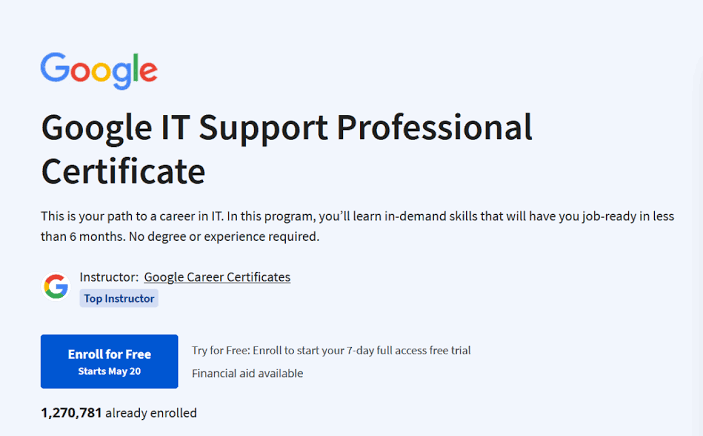
If you have little or no technical experience, the Google IT Support Certificate is one of the most popular beginner-friendly programs available today. Developed by Google, this professional certificate teaches practical IT skills through interactive lessons, hands-on labs, and real-world scenarios. The program is designed to prepare learners for entry-level IT support jobs without requiring a college degree or previous technical experience.
This Google IT Support Certificate Guide explains everything you need to know, including what the certificate covers, who it is for, how to earn it, the skills you’ll develop, career opportunities, and whether it’s worth pursuing in 2026.
What Is the Google IT Support Certificate?
The Google IT Support Certificate is an entry-level professional certificate program created by Google to prepare beginners for careers in information technology.
Instead of focusing only on theory, the program combines practical learning with hands-on activities that simulate real workplace situations. Learners gain experience solving technical problems, configuring operating systems, managing computer hardware, troubleshooting networks, and supporting users.
Throughout the program, you’ll study topics such as:
- IT support fundamentals
- Computer hardware
- Operating systems
- Networking
- System administration
- IT security
- Troubleshooting
- Customer support skills
The curriculum is designed to help learners build job-ready IT support skills.
Why Google Created This Certificate
Google developed the IT Support Certificate to help address the global shortage of qualified entry-level IT professionals.
Many employers struggle to find candidates with practical technical skills, while many beginners believe they need years of experience or a computer science degree to enter the IT industry. Google designed this program to bridge that gap by providing accessible, career-focused training.
The certificate focuses on practical knowledge that can be applied immediately in real workplace environments.
Who Should Take the Google IT Support Certificate?
The Google IT Support Certificate is suitable for a wide range of learners.
It is especially recommended for:
- Students
- Recent graduates
- Career changers
- Office professionals
- Small business owners
- Technology enthusiasts
- Customer service representatives
- Freelancers
- Individuals exploring IT careers
- Anyone with little or no technical experience
No previous IT knowledge is required.
Do You Need Technical Experience?
One of the biggest advantages of the Google IT Support Certificate is that no advanced technical experience is required.
You do not need knowledge of:
- Programming
- Software development
- Cybersecurity
- Cloud computing
- Linux administration
- Networking
The course explains each concept step by step, making it suitable for complete beginners.
What Will You Learn?
The Google IT Support Certificate covers all the essential areas of entry-level IT support.
IT Support Fundamentals
The first module introduces the basics of IT support.
You’ll learn:
- What IT support professionals do
- Types of IT jobs
- Computer systems
- Workplace technology
- Technical support responsibilities
This module provides the foundation for the rest of the program.
Computer Hardware
Understanding computer hardware is a core IT skill.
You’ll study:
- CPUs
- RAM
- Hard drives and SSDs
- Motherboards
- Input devices
- Output devices
- Computer assembly basics
You’ll also learn how hardware components interact.
Operating Systems
The course introduces several commonly used operating systems, including:
- Windows
- Linux
- macOS
- ChromeOS
You’ll learn how operating systems manage users, files, applications, and hardware resources.
Networking
Networking is one of the most important topics in the certificate.
You’ll learn:
- IP addresses
- DNS
- Routers
- Switches
- Wi-Fi
- Internet protocols
- Network troubleshooting
These skills are essential for solving many common IT issues.
System Administration
System administration focuses on managing computer systems.
Topics include:
- User account management
- Software installation
- System updates
- File permissions
- Device management
- Backup strategies
These tasks are commonly performed by IT support professionals.
Security Fundamentals
Basic cybersecurity knowledge is essential for modern IT support roles.
You’ll study:
- Password management
- Authentication
- Malware prevention
- Data protection
- Access control
- Security best practices
These concepts help protect users and business systems.
Troubleshooting
Troubleshooting is one of the most valuable IT skills.
You’ll learn how to:
- Identify technical problems
- Diagnose issues
- Test solutions
- Resolve hardware and software errors
- Document support cases
Strong troubleshooting skills improve your ability to solve real-world technical problems.
How to Earn the Google IT Support Certificate
Earning the certificate is straightforward.
Step 1: Enroll in the Program
Register through the supported online learning platform.
Step 2: Complete Every Learning Module
Study each lesson carefully and complete all required activities.
Step 3: Practice Hands-On Skills
Complete labs, troubleshooting exercises, and practical projects.
Step 4: Pass Assessments
Successfully finish quizzes, assignments, and required evaluations.
Step 5: Receive Your Certificate
After completing all course requirements, you’ll receive your Google IT Support Certificate, which you can add to your resume, LinkedIn profile, and professional portfolio.
Key Features of the Google IT Support Certificate
Several features make this certificate an excellent choice for beginners.
Beginner-Friendly
Designed specifically for learners with no previous IT experience.
Self-Paced Learning
Study according to your own schedule.
Hands-On Labs
Practical exercises reinforce technical knowledge.
Real-World Scenarios
Learn through realistic workplace situations.
Industry Recognition
A Google Professional Certificate demonstrates your commitment to developing practical IT skills.
Benefits of the Google IT Support Certificate
There are many reasons to earn this certificate.
Learn Job-Ready Skills
Develop practical IT support skills used in real workplaces.
Build Technical Confidence
Gain experience solving hardware, software, and networking problems.
Strengthen Your Resume
A Google Professional Certificate enhances your professional profile.
Prepare for Entry-Level Jobs
The curriculum aligns with the skills employers expect from junior IT support professionals.
Build a Strong Technology Foundation
The certificate prepares learners for advanced topics such as cloud computing, cybersecurity, networking, Linux, and systems administration.
Is the Google IT Support Certificate Worth It?
For beginners, the answer is yes.
The certificate offers a structured introduction to IT support using practical labs, troubleshooting exercises, and real-world examples. It focuses on teaching essential technical skills without requiring previous experience.
If your goal is to begin a career in information technology, this certificate provides excellent value.
Career Opportunities After Completing the Certificate
The Google IT Support Certificate can help prepare learners for positions such as:
- IT Support Specialist
- Help Desk Technician
- Technical Support Specialist
- Desktop Support Technician
- Computer Support Technician
- IT Technician
- Service Desk Analyst
- Systems Support Assistant
- Junior Systems Administrator
- Technical Support Representative
These roles offer excellent opportunities for career growth in the IT industry.
Tips for Success
To get the most from the certificate:
Practice Every Week
Spend time working with computers and troubleshooting technical problems.
Complete Every Lab
Hands-on practice reinforces technical concepts.
Build a Home Lab
Install operating systems, configure networks, and practice solving common computer issues.
Continue Learning
After completing the certificate, consider learning cloud computing, cybersecurity, Linux, scripting, networking, or automation to expand your career opportunities.
Common Mistakes Beginners Should Avoid
Many new learners make similar mistakes.
Avoid:
- Skipping networking lessons
- Ignoring troubleshooting exercises
- Memorizing instead of understanding concepts
- Avoiding practical labs
- Not working with real computer systems
Hands-on experience is one of the most important parts of becoming an IT professional.
Frequently Asked Questions
Is the Google IT Support Certificate suitable for complete beginners?
Yes. The program is designed specifically for learners with little or no previous IT experience.
Do I need programming knowledge?
No. Programming skills are not required to begin the certificate.
Can I add the certificate to my resume?
Yes. After completing the program, you can include the Google IT Support Certificate on your resume, LinkedIn profile, and professional portfolio.
How long does it take to complete?
The certificate is self-paced, allowing learners to study according to their own schedules.
Is the Google IT Support Certificate worth earning in 2026?
Yes. As organizations continue relying on technology, IT support remains one of the most accessible and in-demand entry-level technology careers.

Final Thoughts
The Google IT Support Certificate is one of the best beginner-friendly certifications for anyone looking to enter the IT industry. Its practical curriculum, hands-on labs, and real-world troubleshooting exercises provide learners with the technical foundation needed for entry-level IT support roles. Because it requires no previous experience or college degree, it offers an accessible pathway into one of the fastest-growing technology fields.
Whether you’re a student, career changer, freelancer, or someone interested in technology, this certificate can help you build valuable skills in computer hardware, operating systems, networking, security, and technical support. By completing the program, practicing regularly, and continuing to expand your knowledge with advanced IT topics, you’ll be well-positioned for a successful and rewarding career in information technology in 2026 and beyond.