How to Pass Google IT Support Certificate: A Complete Study Guide for Beginners

Information technology (IT) is one of the fastest-growing career fields in the world. Businesses rely on computers, networks, cloud services, and digital systems to operate efficiently, creating a constant demand for skilled IT professionals. If you’re looking for an entry-level pathway into the tech industry, the Google IT Support Certificate is one of the best beginner-friendly programs available today.
The Google IT Support Certificate is designed for learners with little or no technical experience. It teaches practical IT skills through video lessons, hands-on labs, troubleshooting exercises, quizzes, and real-world scenarios. Although the course is beginner-friendly, passing it successfully requires consistent study, regular practice, and a willingness to solve technical problems.
In this guide, you’ll learn How to Pass Google IT Support Certificate by following proven study strategies, understanding the course structure, practicing essential IT skills, avoiding common mistakes, and preparing yourself for a successful IT career in 2026.
What Is the Google IT Support Certificate?
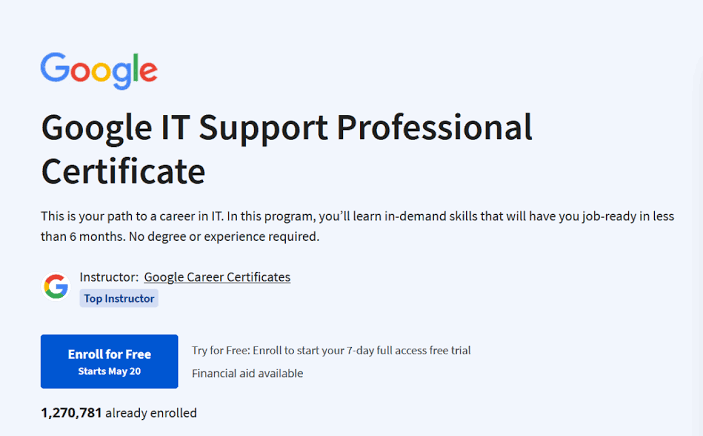
The Google IT Support Certificate is an entry-level professional certificate created by Google to prepare beginners for careers in IT support.
Instead of focusing only on theory, the program teaches practical skills that employers expect from entry-level IT professionals. Learners gain hands-on experience working with computer hardware, operating systems, networking, security, and troubleshooting.
The program covers topics such as:
- IT support fundamentals
- Computer hardware
- Operating systems
- Networking
- System administration
- Security fundamentals
- Troubleshooting
- Customer support skills
The certificate is designed to help learners become job-ready for entry-level IT support roles.
Is the Google IT Support Certificate Difficult?
For most beginners, the course is challenging but manageable.
The lessons are explained clearly, and no previous IT experience is required. However, you’ll need to dedicate time to learning technical concepts and practicing hands-on skills.
Success depends on:
- Consistent studying
- Completing every module
- Practicing in labs
- Understanding concepts instead of memorizing them
- Applying what you learn in real-world situations
With regular effort, most learners can complete the program successfully.
Understand the Course Structure
Before starting, take time to understand how the program is organized.
The certificate includes multiple learning modules, each covering a core area of IT support.
Most modules include:
- Video lessons
- Reading materials
- Interactive labs
- Quizzes
- Practical exercises
- Troubleshooting scenarios
Knowing what to expect helps you plan your study schedule more effectively.
Create a Weekly Study Plan
A structured study routine is one of the best ways to complete the certificate successfully.
Here’s an example:
Monday
- Watch new video lessons
- Take notes
Tuesday
- Read course materials
- Review important concepts
Wednesday
- Complete hands-on labs
Thursday
- Practice troubleshooting exercises
Friday
- Finish quizzes and assignments
Weekend
- Review previous modules
- Practice on your own computer or virtual machine
Studying consistently is much more effective than trying to finish multiple modules in one day.
Take Notes While Learning
Writing notes improves understanding and memory.
Focus on recording:
- Technical terminology
- Hardware components
- Networking concepts
- Security principles
- Troubleshooting steps
- Operating system commands
Organized notes make revision much easier later.
Master IT Fundamentals
The first modules introduce the basics of information technology.
Spend extra time understanding:
- Computer systems
- Binary concepts
- Hardware components
- Software types
- IT support roles
- Basic technical terminology
These concepts appear throughout the course.
Learn Computer Hardware
Hardware knowledge is essential for every IT support professional.
Practice identifying:
- CPUs
- RAM
- SSDs and hard drives
- Motherboards
- Power supplies
- Input devices
- Output devices
If possible, open an old computer to see these components in real life.
Practice Operating Systems
The course introduces multiple operating systems.
Become familiar with:
- Windows
- Linux
- macOS
- ChromeOS
Practice:
- Installing software
- Managing users
- Navigating file systems
- Updating systems
- Using system settings
Hands-on experience builds confidence.
Study Networking Carefully
Networking is one of the most important sections of the certificate.
Learn:
- IP addresses
- DNS
- Routers
- Switches
- Wi-Fi
- Network protocols
- Basic troubleshooting
Drawing simple network diagrams can make these concepts easier to understand.
Understand System Administration
System administration is another key topic.
Practice:
- Creating user accounts
- Managing permissions
- Installing applications
- Updating systems
- Performing backups
These are common responsibilities in entry-level IT support jobs.
Learn Security Fundamentals
Modern IT professionals must understand basic cybersecurity.
Study topics such as:
- Password security
- Multi-factor authentication (MFA)
- Malware
- Phishing
- Access control
- Safe computing practices
Security concepts are important throughout your IT career.
Build Strong Troubleshooting Skills
Troubleshooting is the heart of IT support.
Practice solving problems by following a structured process:
- Identify the issue.
- Gather information.
- Test possible solutions.
- Verify the fix.
- Document the results.
Learning a systematic approach will help you during both the course and real-world IT jobs.
Complete Every Hands-On Lab
Hands-on labs are one of the most valuable parts of the certificate.
Do not skip:
- Virtual labs
- Practice exercises
- Troubleshooting activities
- Simulations
- Quizzes
Practical experience helps you understand concepts much better than reading alone.
Review Every Quiz
Whenever you answer a question incorrectly:
- Read the explanation
- Review the lesson
- Understand why the answer was wrong
- Practice similar questions
Learning from mistakes is an important part of the learning process.
Practice Beyond the Course
One of the best ways to pass the certificate is to practice outside the course.
You can:
- Build a home lab
- Install Windows or Linux in a virtual machine
- Practice networking concepts
- Troubleshoot your own computer
- Help friends or family solve computer issues
- Explore free IT practice resources
Real-world experience reinforces classroom learning.
Avoid Common Beginner Mistakes
Many learners struggle because they make avoidable mistakes.
Avoid:
- Skipping networking lessons
- Ignoring hands-on labs
- Memorizing instead of understanding
- Not practicing troubleshooting
- Rushing through modules
- Waiting until the last minute to study
Consistent learning leads to better results.
Stay Consistent
IT is a practical field that rewards regular practice.
Studying for 30–60 minutes every day is often more effective than studying for several hours only once a week.
Consistency helps build both knowledge and confidence.
Benefits of Completing the Certificate
Passing the Google IT Support Certificate helps you:
- Build practical IT skills
- Strengthen your resume
- Improve troubleshooting abilities
- Learn industry-standard tools
- Prepare for entry-level IT jobs
The certificate also creates a strong foundation for advanced certifications in networking, cloud computing, cybersecurity, Linux, and system administration.
Career Opportunities After Passing
Completing the Google IT Support Certificate can help prepare you for positions such as:
- IT Support Specialist
- Help Desk Technician
- Technical Support Specialist
- Desktop Support Technician
- Computer Support Technician
- Service Desk Analyst
- Junior Systems Administrator
- IT Technician
- Technical Support Representative
- Systems Support Assistant
These roles provide excellent opportunities for long-term growth in the technology industry.
Tips for Success
To maximize your chances of passing:
Study Every Week
Small daily study sessions improve retention.
Practice Hands-On Skills
Work with real computers whenever possible.
Build a Home Lab
Experiment with operating systems, networking, and troubleshooting in a safe environment.
Continue Learning
After completing the certificate, explore advanced topics such as cloud computing, Linux administration, cybersecurity, scripting, networking, and automation.
Frequently Asked Questions
Is the Google IT Support Certificate suitable for beginners?
Yes. The program is designed specifically for learners with little or no previous IT experience.
Do I need programming knowledge?
No. Programming skills are not required to begin the certificate.
Is the certificate difficult?
Most learners find it manageable with consistent study and regular hands-on practice.
How long does it take to complete?
The program is self-paced, allowing learners to progress according to their own schedules.
Can passing the certificate help me start an IT career?
Yes. The certificate provides foundational knowledge and practical skills that can help prepare you for entry-level IT support roles. Building a home lab and gaining additional hands-on experience will further improve your career prospects.
Final Thoughts
Passing the Google IT Support Certificate is achievable for anyone willing to learn consistently and practice regularly. The program is specifically designed for beginners, making it an excellent starting point for students, career changers, and anyone interested in entering the IT industry.
By following a structured study plan, mastering core topics such as computer hardware, operating systems, networking, security, and troubleshooting, and completing every hands-on lab, you’ll greatly improve your chances of success. Remember that earning the certificate is only the first step. Continue building practical experience, explore advanced certifications, and keep learning new technologies to create a successful and rewarding career in information technology in 2026 and beyond.