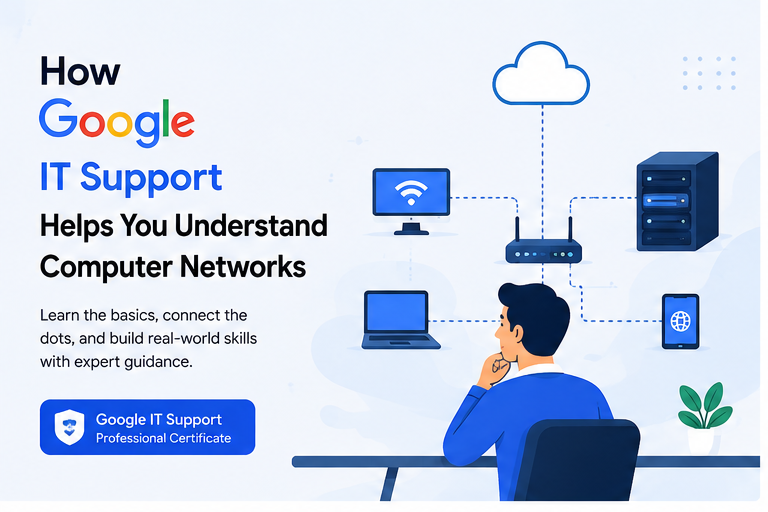
How Google IT Support Helps You Understand Computer Networks

Computer networks are the foundation of today’s digital world. Whether you are browsing a website, sending an email, using cloud storage, streaming a video, or working remotely, a computer network is operating behind the scenes. For beginners entering the information technology field, understanding how these networks work is an essential skill.
The Google IT Support Professional Certificate introduces learners to important networking concepts as part of a broader foundation in IT support. It helps beginners understand how computers communicate, how network devices work, how internet connections are structured, and how common connectivity problems can be approached.
For people interested in IT support, networking, system administration, or other technology careers, learning these fundamentals can provide a useful starting point.
What Is Google IT Support?
Google IT Support training is designed to introduce beginners to fundamental IT concepts and practical support skills. Learners can explore topics related to computer hardware, operating systems, networking, system administration, security, and troubleshooting.
One of its useful areas is computer networking.
Networking may initially appear complicated because it involves technical terms such as IP addresses, routers, DNS, TCP/IP, switches, and protocols. Structured IT support training can make these concepts easier to understand by explaining how they connect to real-world situations.
Instead of viewing networking as a collection of technical definitions, learners begin to understand it as a system that allows devices to exchange information.
Why Computer Networking Knowledge Is Important
Almost every modern organization depends on computer networks.
Businesses use networks to connect employees, servers, printers, databases, cloud platforms, websites, and communication systems. Even a small office may have several computers connected to Wi-Fi, shared printers, and online applications.
When something goes wrong with the network, employees may lose access to essential services.
An IT support professional therefore needs to understand questions such as:
- Why is a computer unable to access the internet?
- Why is Wi-Fi connected but a website is not loading?
- What does an IP address do?
- How does a router connect devices?
- What is DNS?
- Why might one computer connect successfully while another cannot?
- How does information travel across the internet?
Understanding these concepts helps IT professionals diagnose problems more logically.
How Google IT Support Introduces Networking
A major benefit of structured IT support education is that networking concepts can be introduced gradually.
Beginners can first learn how individual devices communicate before moving toward larger topics such as internet infrastructure and network troubleshooting.
This learning approach makes technical concepts easier to connect.
For example, instead of simply memorizing the definition of an IP address, a learner can understand why a device needs an address to communicate across a network.
Similarly, learning about DNS becomes more meaningful when you understand how it helps translate human-friendly domain names into information computers can use to locate online services.
Understanding the Basics of Computer Networks
A computer network is a group of connected devices that can communicate and share resources.
These devices might include:
- Desktop computers
- Laptops
- Smartphones
- Servers
- Printers
- Routers
- Switches
- Smart devices
Networks can be extremely small or incredibly large.
A home Wi-Fi network connecting a laptop, smartphone, and television is a simple example. The internet itself represents an enormous collection of interconnected networks.
Learning networking fundamentals helps students understand how these different systems communicate.
Learning About Network Devices
Network devices play different roles in moving information between computers.
Routers
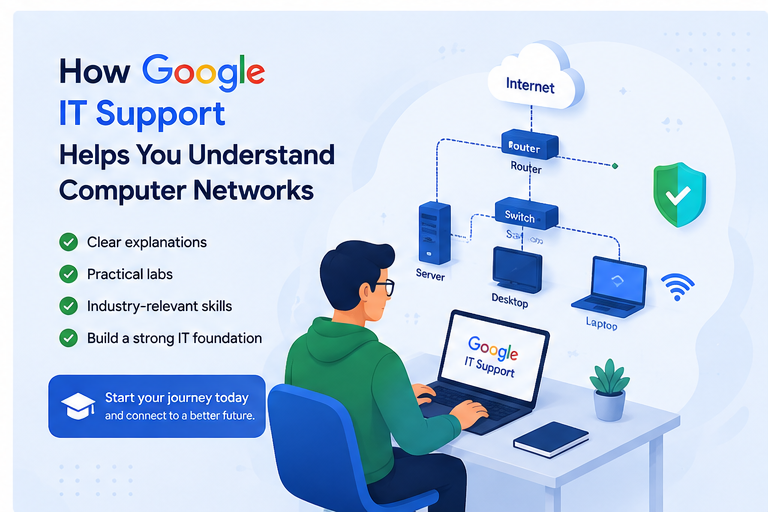
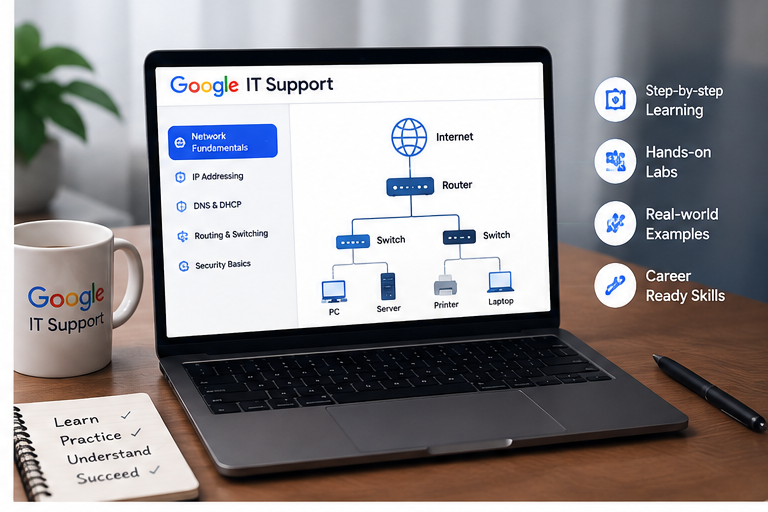
A router helps direct network traffic between different networks.
In a typical home environment, the router helps multiple devices connect to a local network and communicate with external networks such as the internet.
Understanding routers is particularly important for IT support because many common connectivity problems involve router configuration, addressing, Wi-Fi, or internet access.
Switches
A network switch connects devices within a network and helps send data toward the appropriate destination.
Switches are commonly found in business environments where many computers, printers, servers, and other devices need wired connectivity.
Wireless Access Points
Wireless access points allow compatible devices to connect to a network without physical Ethernet cables.
Understanding these devices can help learners troubleshoot Wi-Fi problems and better understand wireless network infrastructure.
Understanding IP Addresses
IP addressing is one of the most important concepts in networking.
An IP address helps identify a device or network interface so information can be routed appropriately.
A simplified analogy is a postal address. If someone wants to send a package to you, they need to know where it should go. Network communication similarly relies on addressing information to help data reach its destination.
Learners commonly encounter two important versions:
IPv4
IPv4 addresses are typically represented using four decimal numbers separated by periods, such as:
192.168.1.10
IPv4 has been widely used for decades.
IPv6
IPv6 was developed partly to provide a vastly larger address space as the number of internet-connected devices continued to grow.
Learning the basic differences between IPv4 and IPv6 provides students with a better understanding of modern network addressing.
Understanding TCP/IP
TCP/IP is fundamental to how modern networks and the internet operate.
IP is responsible for addressing and routing packets toward their destinations, while TCP provides mechanisms for reliable communication between applications when reliability is required.
Learning these concepts helps students understand that network communication happens through multiple processes rather than one single action.
For example, when someone opens a website, several networking technologies may work together to locate the destination, establish communication, transfer information, and display the requested content.
Understanding this process can make troubleshooting much easier.
Learning About DNS
The Domain Name System (DNS) is another important networking concept.
People usually prefer names such as example.com instead of remembering numerical IP addresses.
DNS helps applications find the IP information associated with domain names.
When DNS problems occur, users may experience situations where an internet connection appears active but certain websites or services cannot be reached normally.
Understanding DNS gives aspiring IT support professionals another useful area to investigate during troubleshooting.
Understanding DHCP
Imagine manually assigning network settings to every smartphone, laptop, and computer joining a network.
That would quickly become inconvenient.
The Dynamic Host Configuration Protocol (DHCP) helps automate the assignment of important network configuration information to devices.
Depending on the network, this can include information such as:
- IP address
- Subnet mask
- Default gateway
- DNS server details
Understanding DHCP is useful because incorrect or missing network configuration can prevent devices from communicating properly.
Learning About Network Models
Networking education also introduces conceptual models that help learners understand how communication is organized.
One well-known example is the OSI model.
The OSI model divides network communication into seven conceptual layers:
- Physical
- Data Link
- Network
- Transport
- Session
- Presentation
- Application
Beginners do not need to become networking engineers immediately to benefit from understanding these layers.
The model can help students organize networking concepts and think more systematically about where a problem might be occurring.
LAN and WAN Concepts
Another useful part of networking fundamentals is understanding different types of networks.
Local Area Network
A LAN usually connects devices within a limited geographic area, such as a home, school, or office.
For example, computers connected to the same office network may share printers and other resources.
Wide Area Network
A WAN connects networks across larger geographic areas.
Organizations with offices in multiple cities or countries may use networking technologies that connect geographically separated locations.
Understanding LAN and WAN concepts helps beginners see how networks can scale from a single room to much larger environments.
Wired and Wireless Networking
Modern IT professionals should understand both wired and wireless connections.
Ethernet is commonly used for wired networking. It can provide reliable and high-speed connectivity, making it useful for offices, servers, and other environments where stable connections are important.
Wi-Fi provides greater mobility and convenience.
However, wireless networks can be affected by signal strength, interference, distance, physical obstacles, and configuration problems.
Learning the differences helps IT support professionals choose appropriate troubleshooting methods.
How Networking Knowledge Improves Troubleshooting
One of the biggest advantages of learning networking through an IT support perspective is understanding how to troubleshoot systematically.
Suppose a user says:
“My internet isn’t working.”
An inexperienced person might immediately restart the router without investigating further.
Someone with networking knowledge can approach the situation more logically.
They might determine whether the problem affects one device or every device, check the physical or wireless connection, inspect network configuration, verify IP addressing, test connectivity, investigate DNS, and determine whether the issue is inside the local network or related to the internet connection.
This structured approach can make troubleshooting faster and more accurate.
Common Networking Commands Beginners Can Learn
Command-line networking utilities can provide useful diagnostic information.
For example, ping can help test whether a network destination responds.
ipconfig on Windows can display important network configuration information.
Other tools can help examine routes, DNS information, interfaces, and connections.
Learning what these utilities show—and understanding their limitations—is more valuable than simply memorizing commands.
The goal is to develop troubleshooting logic.
Networking and Cybersecurity
Networking knowledge is also closely connected to cybersecurity.
Many security threats involve networks, online communication, unauthorized access, or improperly configured systems.
Understanding networking concepts helps learners appreciate the purpose of technologies and practices such as:
- Firewalls
- Encryption
- Secure Wi-Fi
- Authentication
- Network segmentation
- VPNs
- Secure protocols
- Access controls
Someone who understands normal network communication is generally better prepared to recognize why certain security controls are necessary.
Benefits of Learning Networking Through Google IT Support
For beginners, structured IT support education can offer several advantages.
First, it provides an organized learning path instead of requiring students to search randomly for networking information.
Second, networking is presented in the wider context of IT support. This helps learners understand why concepts such as IP addressing and DNS matter during real technical problems.
Third, the broader curriculum can help students connect networking with operating systems, hardware, security, and troubleshooting.
This combination can provide a useful foundation for entry-level technology roles.
Career Opportunities After Learning Networking Fundamentals
Networking knowledge can support several technology career paths.
Someone beginning with IT support fundamentals may later explore roles such as:
IT Support Specialist
IT support specialists help users solve problems involving computers, software, accounts, devices, and connectivity.
Help Desk Technician
Help desk professionals often handle common network issues, including Wi-Fi problems, connection failures, and access difficulties.
Network Support Technician
With additional networking knowledge and practical experience, learners may pursue positions more directly focused on maintaining and troubleshooting network infrastructure.
System Administrator
System administrators often work with servers, user accounts, operating systems, networks, and organizational IT infrastructure.
Cybersecurity Professional
Networking fundamentals are also valuable for people who eventually want to study cybersecurity, since many security concepts depend on understanding how systems communicate.
Google IT Support vs. Advanced Networking Certifications
Google IT Support training should generally be viewed as a foundation rather than the final stage of networking education.
Someone who wants to specialize in networking may eventually pursue deeper training and industry certifications.
The important advantage of starting with introductory IT support education is developing the vocabulary and fundamental understanding needed for more advanced topics.
Once learners understand IP addressing, routing, DNS, network devices, protocols, and troubleshooting principles, advanced networking material becomes easier to approach.
Best Ways to Practice Computer Networking
Reading and watching lessons are useful, but practical experience can strengthen understanding.
Beginners can practice by examining their own home network, identifying connected devices, viewing network configuration, and learning what different settings mean.
Network simulation tools can also provide opportunities to experiment without needing expensive physical equipment.
A useful learning process is:
Learn → Practice → Troubleshoot → Review
Instead of memorizing definitions, try to understand why each technology exists and what problem it solves.
For example, when studying DNS, ask yourself:
“What would happen if DNS stopped working?”
Questions like this turn theoretical knowledge into practical understanding.
Challenges Beginners May Face
Networking contains many technical terms, which can initially make the subject feel difficult.
Students may confuse concepts such as routers, switches, IP addresses, DNS, DHCP, ports, and protocols.
Trying to memorize everything at once can make the problem worse.
A better approach is to understand one concept at a time and then connect it to the bigger picture.
Start by understanding how two devices communicate. Then learn addressing, routing, name resolution, protocols, and troubleshooting.
Gradually, the individual concepts begin to form a complete picture.
The Future Importance of Networking Skills
Computer networking will remain an important IT skill as businesses increasingly depend on cloud computing, remote work, connected devices, cybersecurity, and digital services.
Modern infrastructure may look different from traditional office networks, but the fundamental need for devices and services to communicate remains.
Technologies such as cloud platforms, Internet of Things devices, edge computing, 5G, and software-defined networking are creating new networking environments.
A strong understanding of basic networking principles can make it easier to learn these more advanced technologies later.
Final Thoughts
Google IT Support can help beginners understand computer networks by introducing networking concepts within the practical context of IT troubleshooting and support.
Learners can build familiarity with IP addresses, TCP/IP, DNS, DHCP, routers, switches, Wi-Fi, network models, and troubleshooting techniques. More importantly, they can begin understanding how these technologies work together to keep devices connected.
For anyone considering a career in IT support, networking, system administration, cloud technology, or cybersecurity, networking fundamentals are an important starting point.
The objective should not simply be to memorize technical terminology. It should be to understand how computers communicate, recognize what can go wrong, and develop a logical process for solving problems.